Watchet connects to your own servers over SSH and gathers every Claude Code and Codex session into one inbox. It alerts you the moment an agent needs you, lets you approve right from the notification, and gives you a real terminal when you need to get hands-on.
Coming soon to Google Play and the App Store
Works with the tools you already use
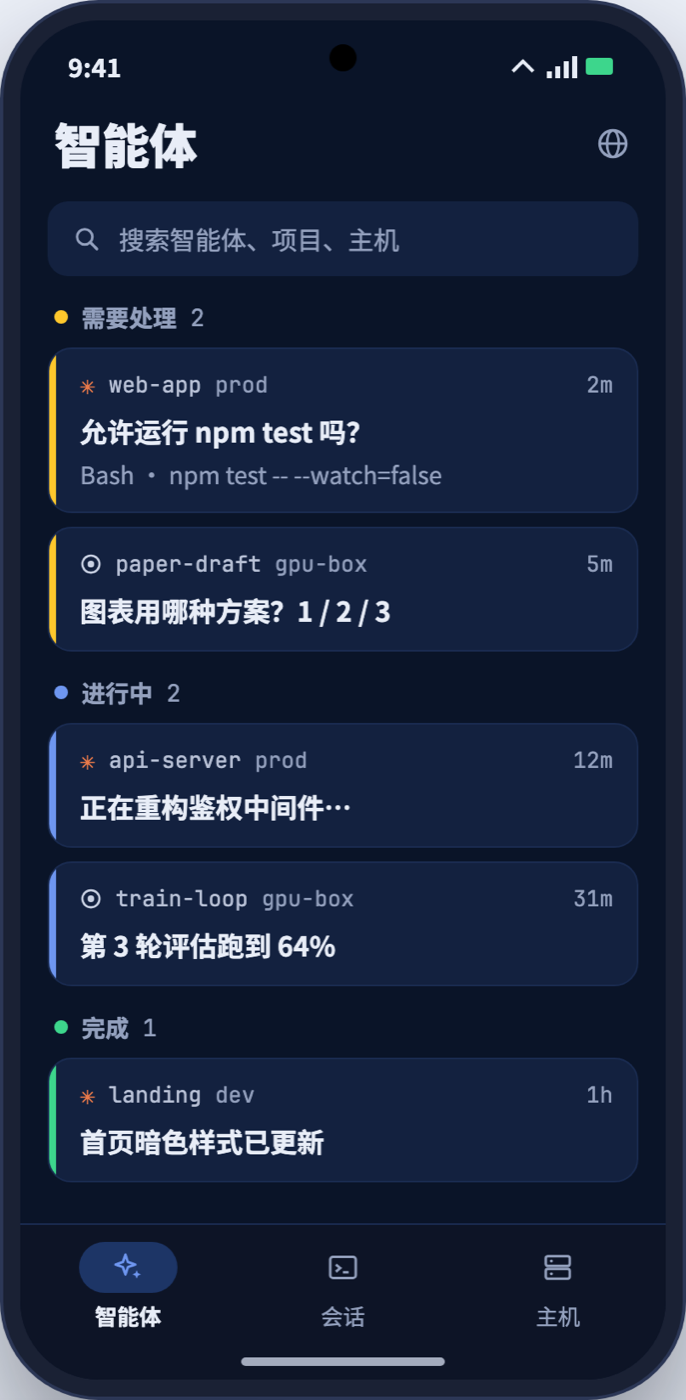
No more SSH-ing into each box to check. See which agents are waiting for you, which are running and which are done the moment you open Watchet.
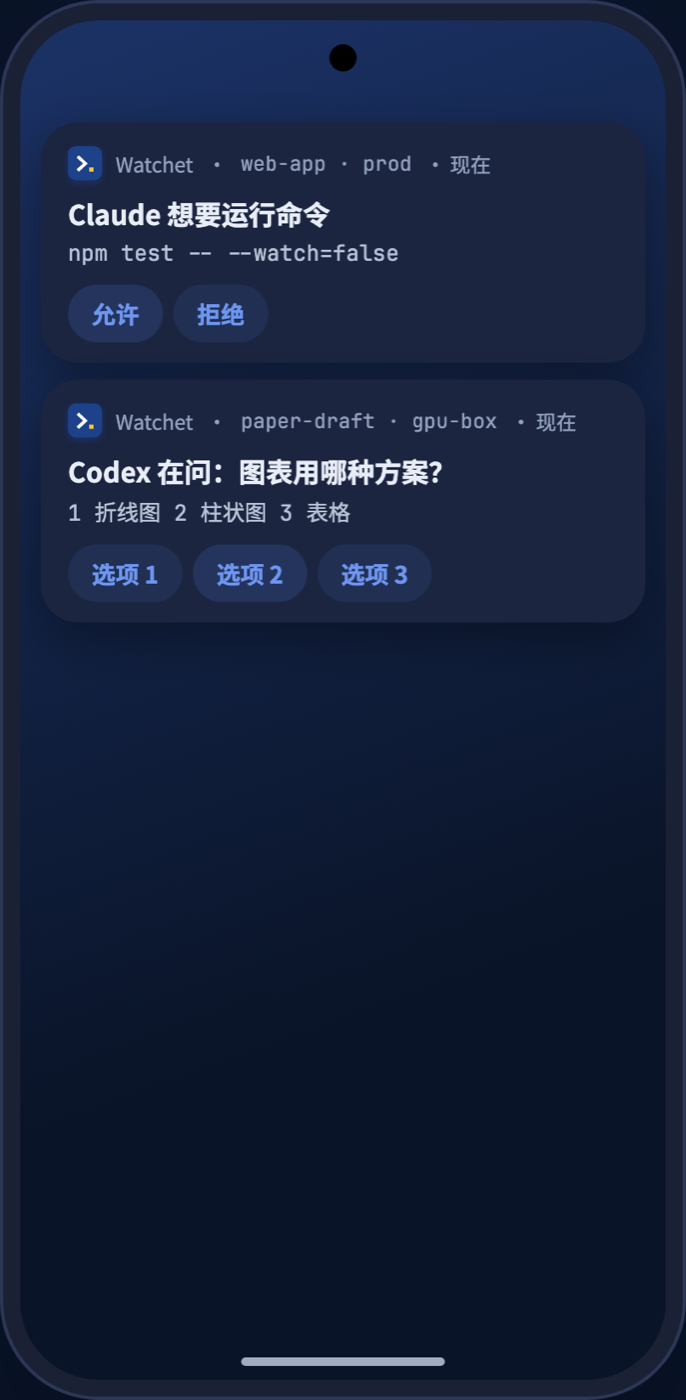
An agent stuck on a permission prompt can sit there for half an hour. Watchet notifies you the moment it needs you, and you can allow, deny or pick an option right from the notification.
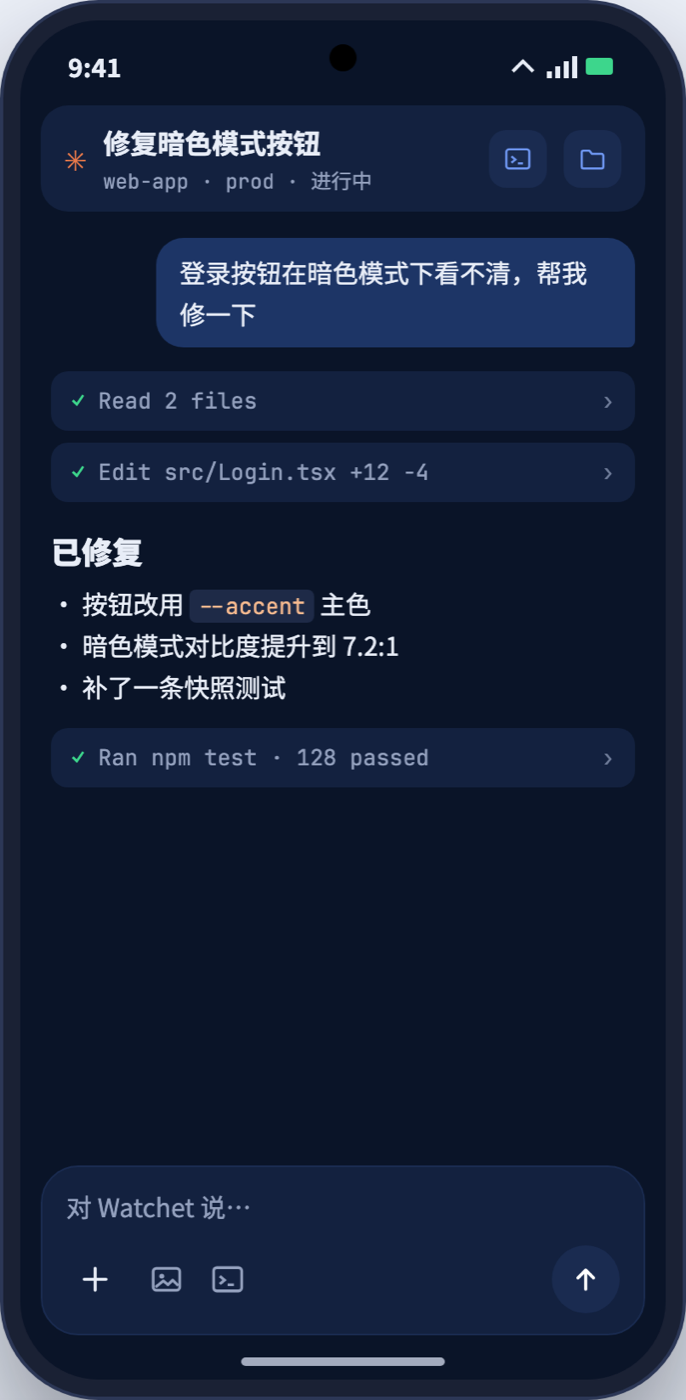
Watchet turns a terminal session into a clean conversation: replies rendered as Markdown, tool calls folded away, no scrolling back through a tiny terminal.
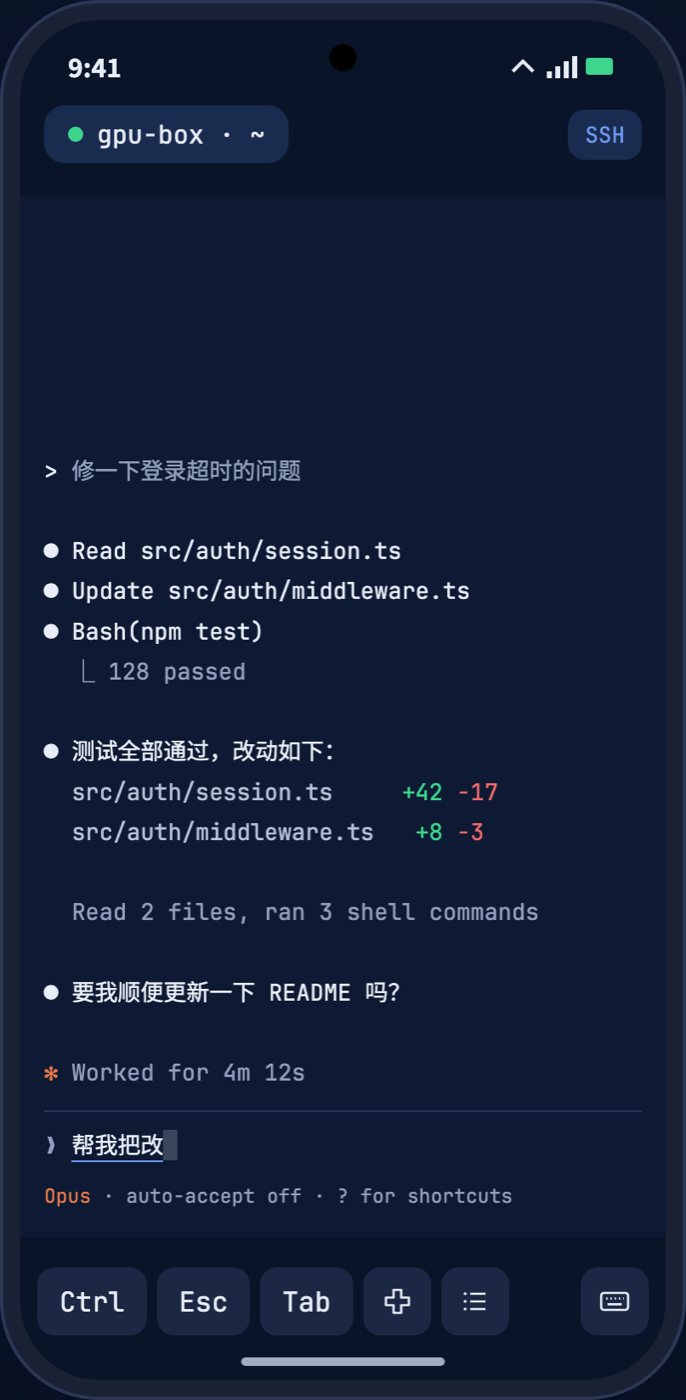
Open straight into Herdr, tmux or Zellij and swipe between windows. Ctrl, Esc and Tab stay on the toolbar, sessions survive the background and network changes, and reconnect on their own.
Browse files on the host, preview images, PDFs and code, edit and upload.
See exactly what an agent changed, file by file, from Git.
Open the site you're developing on the server, right on your phone.
Unfolded: list and conversation side by side. Folded: one-handed.
Subway, elevator, Wi-Fi switch: your session is right where you left it.
English and Chinese UI, whole-line input that works with any keyboard and voice.
No account to sign up for and nothing extra to deploy. Any Linux or macOS host you can reach over SSH will do.
Generate a new SSH key on your phone, or paste or import one you already have.
Sign in once with your password and Watchet installs its public key, or copy a one-line command and do it yourself.
One tap installs a small helper on the host (it only needs Python 3); your existing configuration is backed up first.
SSH private keys are encrypted by the phone's security hardware, never uploaded and never in cloud backups.
Terminal traffic goes directly between your phone and your server, never through any server of ours.
Unlock Watchet with your fingerprint or face, so lending your phone is no worry.
A monthly subscription you can cancel any time, or a one-time purchase. Prices are shown in the app store in your local currency.
No sign-up, just download.
One purchase covers up to 3 devices.
No. Watchet connects directly to your own servers over SSH. Our server is only used to verify app store purchases of Pro. See the privacy policy.
Any Linux or macOS host you can reach over SSH. Agent features need Python 3 on the host.
Claude Code and Codex today. The terminal itself runs any command-line program.
Up to 3 devices per purchase. You can remove an old device from within the app at any time.
Watchet is in a small private beta. Write to us and tell us which AI coding tools you use, and we'll send you an invite.
 Watchet